Business Inventory1.1
Publisher Description
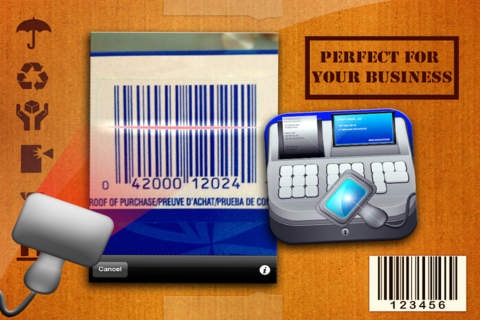
Business Inventory
This app is an inventory management software for tracking product levels, orders, sales and deliveries
Perfect for
Maintaining a balance between too much and too little inventory.
Tracking inventory as it is transported between locations.
Receiving items into a warehouse or other location.
Picking, packing and shipping items from a warehouse.
Keeping track of product sales and inventory levels.
Cutting down on product obsolescence and spoilage.
Main Features
Barcode reader
Product photo from native library or camera
Quality database
Unlimited inventory entries.
Preset and customizable filters
Landscape and portrait orientation
Supports all your iOS devices (universal binary).
View summary report
Export events to Email (spreadsheet format)
Export filtered events to Email (spreadsheet format)
Easy to use interface
Product Details:
Inventory Name
Place (location)
Product description
Type (you can create multiple categories)
Date
Barcode #
Bought No, Sold No
Unit buy price, unity sell price US $
Total Cost US$
Total Profit us $
Product photo
Actions: Buy New, Mark as sold, delete item
Summary Report:
Current Inventory US$
Inventory Sold #
Profit Margin %
Accum Profit US$
Net Profit US$
Total Bought US$
Total Sold US$
Requires iOS 3.2 or later. Compatible with iPhone 3GS, iPhone 4, iPhone 4s, iPhone 5, iPhone 5c, iPhone 5s, iPhone 6, iPhone 6 Plus, iPhone 6s, iPhone 6s Plus, iPhone SE, iPhone 7, iPhone 7 Plus, iPad, iPod touch (3rd generation), iPod touch (4th generation), iPod touch (5th generation), and iPod touch (6th generation).
About Business Inventory
The company that develops Business Inventory is Paul Abraham Jaimovich. The latest version released by its developer is 1.1.
To install Business Inventory on your iOS device, just click the green Continue To App button above to start the installation process. The app is listed on our website since 2012-06-21 and was downloaded 8 times. We have already checked if the download link is safe, however for your own protection we recommend that you scan the downloaded app with your antivirus. Your antivirus may detect the Business Inventory as malware if the download link is broken.
How to install Business Inventory on your iOS device:
- Click on the Continue To App button on our website. This will redirect you to the App Store.
- Once the Business Inventory is shown in the iTunes listing of your iOS device, you can start its download and installation. Tap on the GET button to the right of the app to start downloading it.
- If you are not logged-in the iOS appstore app, you'll be prompted for your your Apple ID and/or password.
- After Business Inventory is downloaded, you'll see an INSTALL button to the right. Tap on it to start the actual installation of the iOS app.
- Once installation is finished you can tap on the OPEN button to start it. Its icon will also be added to your device home screen.
